Step-by-step demo

From planner PDF to printable run of show

Follow the workflow real DJs use: drop in the document, let AI build the timeline, collect missing details from the couple, and walk into the wedding with one clean schedule.

Try it on your next wedding
Step 01 Sound familiar?

A 22-page planner PDF just hit your inbox

Ceremony times on page 4. Song notes buried on page 11. Vendor updates in a separate email thread. You know the details are in there somewhere, but turning it into something you can actually run the wedding from feels like another job on top of your job.

  • Multiple PDFs, emails, and texts from the couple and planner
  • Times and songs scattered across dozens of pages
  • No single place to see what the day actually looks like
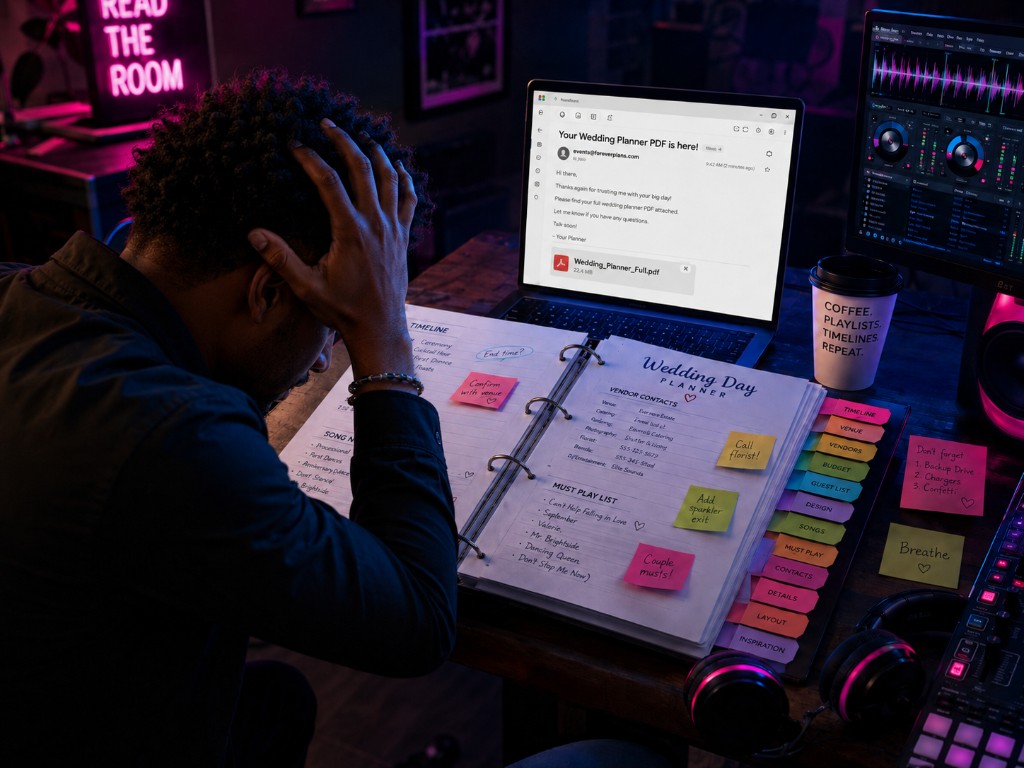
Stressed wedding DJ with hands on his head, copying details from a Wedding Planner PDF email into a handwritten binder surrounded by sticky notes and DJ gear
The PDF is in your inbox. The run of show is still on you. Sound familiar?
Step 02 Upload once

Our AI reads the PDF and builds your timeline

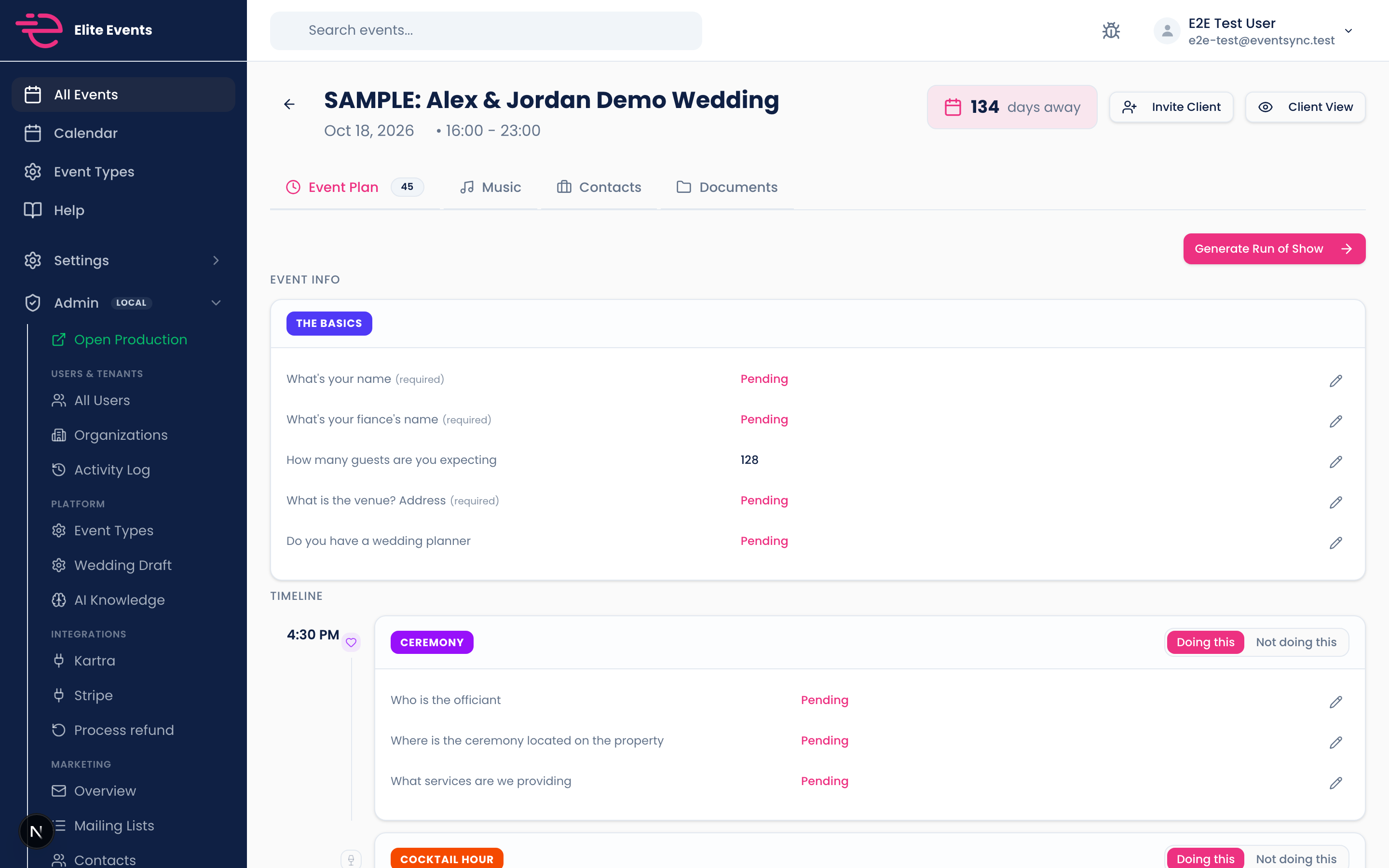
Drop the planner document on the booking. EventSync extracts times, moments, songs, and notes, then lays everything out as an editable Event Plan. Review and fix anything off in minutes instead of retyping the whole day.

EventSync Event Plan tab with wedding sections and timeline
Imported moments and questionnaire answers in one section-by-section view.
Step 03 Fill the gaps

Invite the couple to answer what the PDF did not cover

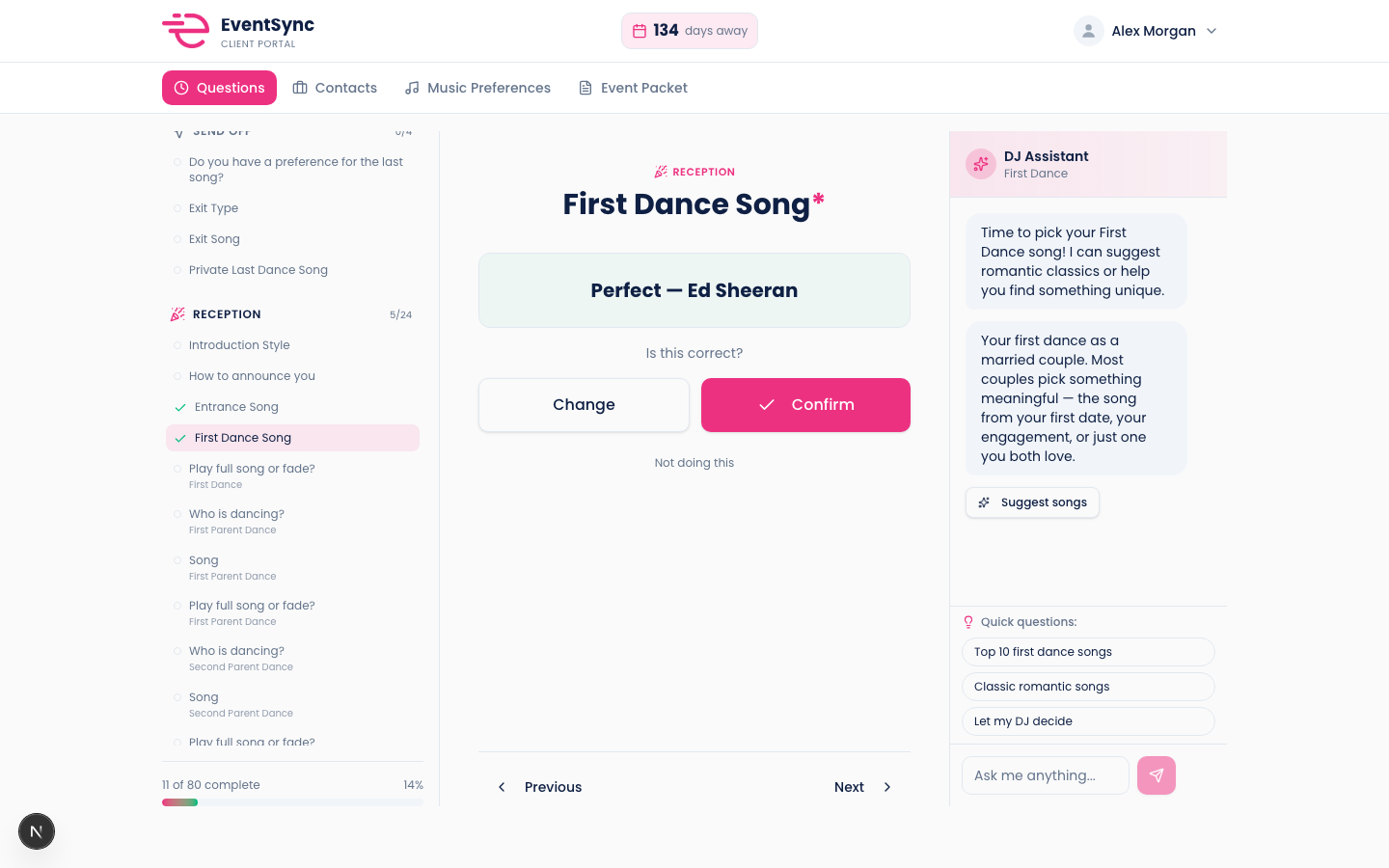
You still need first-dance songs, announcement details, and venue specifics the planner never captured. Send a portal link. No app required. They answer your questions on their phone and answers flow back into the same booking automatically.

EventSync client portal with first dance song picker and DJ Assistant
Couples answer your template with song search and built-in tips.
Step 04 One click

Generate your live run of show

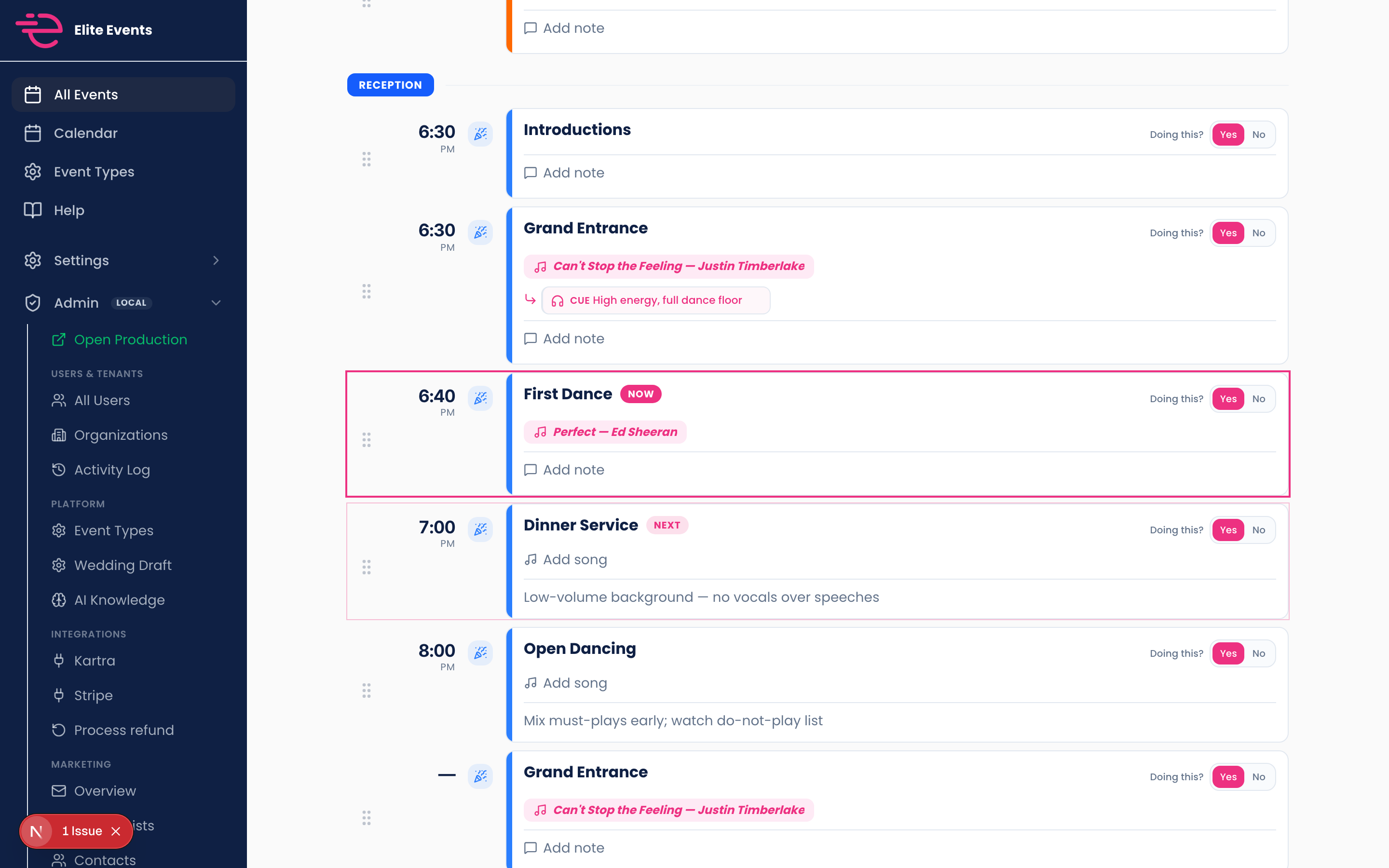
When the timeline and couple answers are in place, click Generate Run of Show. EventSync reconciles everything into the lean schedule format DJs actually use on event day, with times, song pills, and room for last-minute notes.

EventSync run of show with ceremony rows, song pills, and NOW/NEXT markers
One button turns your booking into a gig-ready schedule.
Step 05 Game day ready

Pick a built-in print layout

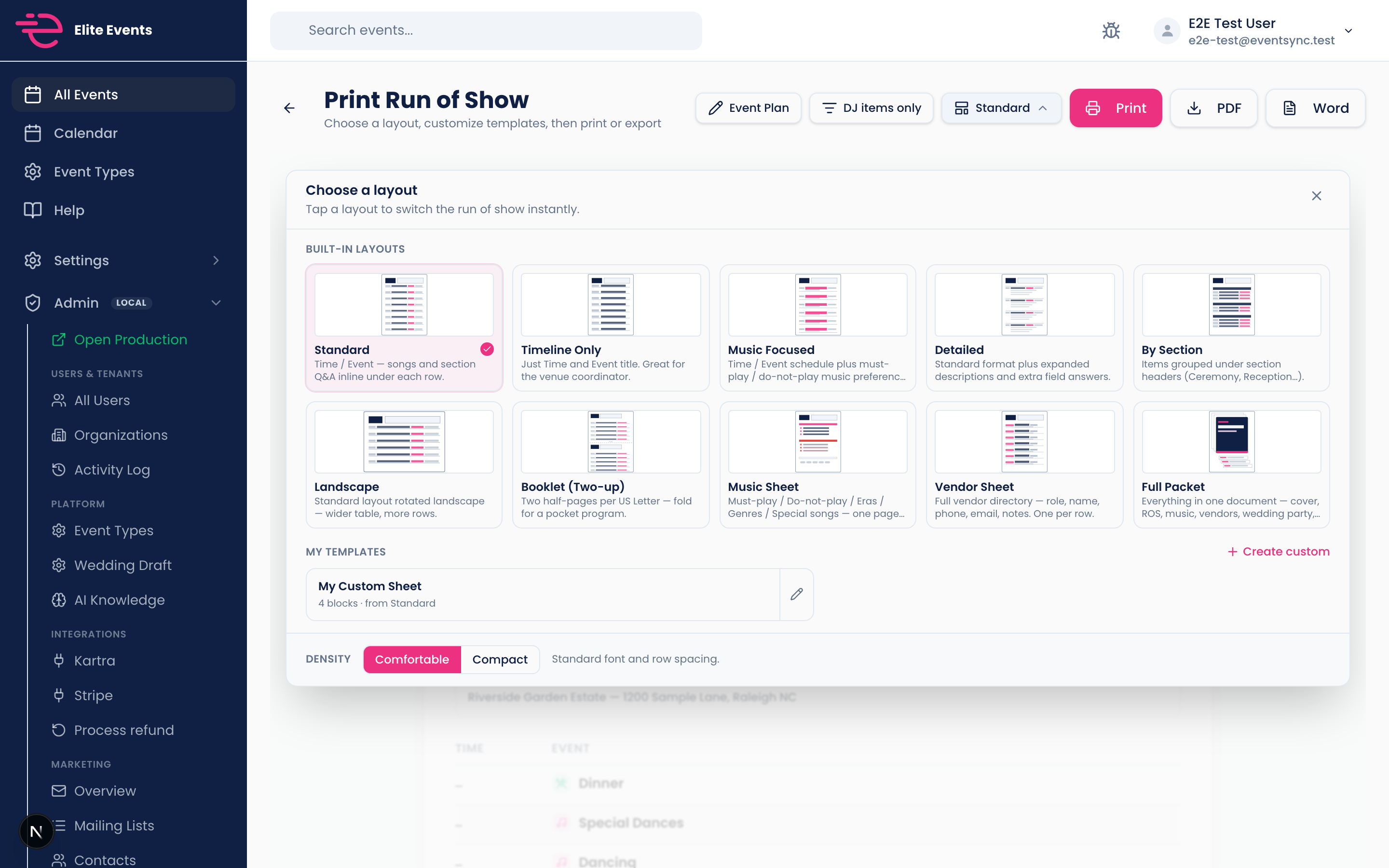
Open print preview and choose from layouts DJs actually use: standard timeline, music-focused, booklet, vendor sheet, full packet, and more. Switch comfortable or compact density, then print or export PDF and Word when it looks right.

EventSync print preview with layout picker and custom template options
10+ built-in layouts. Print, PDF, or Word export.
Step 06 Make it yours

Do not like our templates? Build your own.

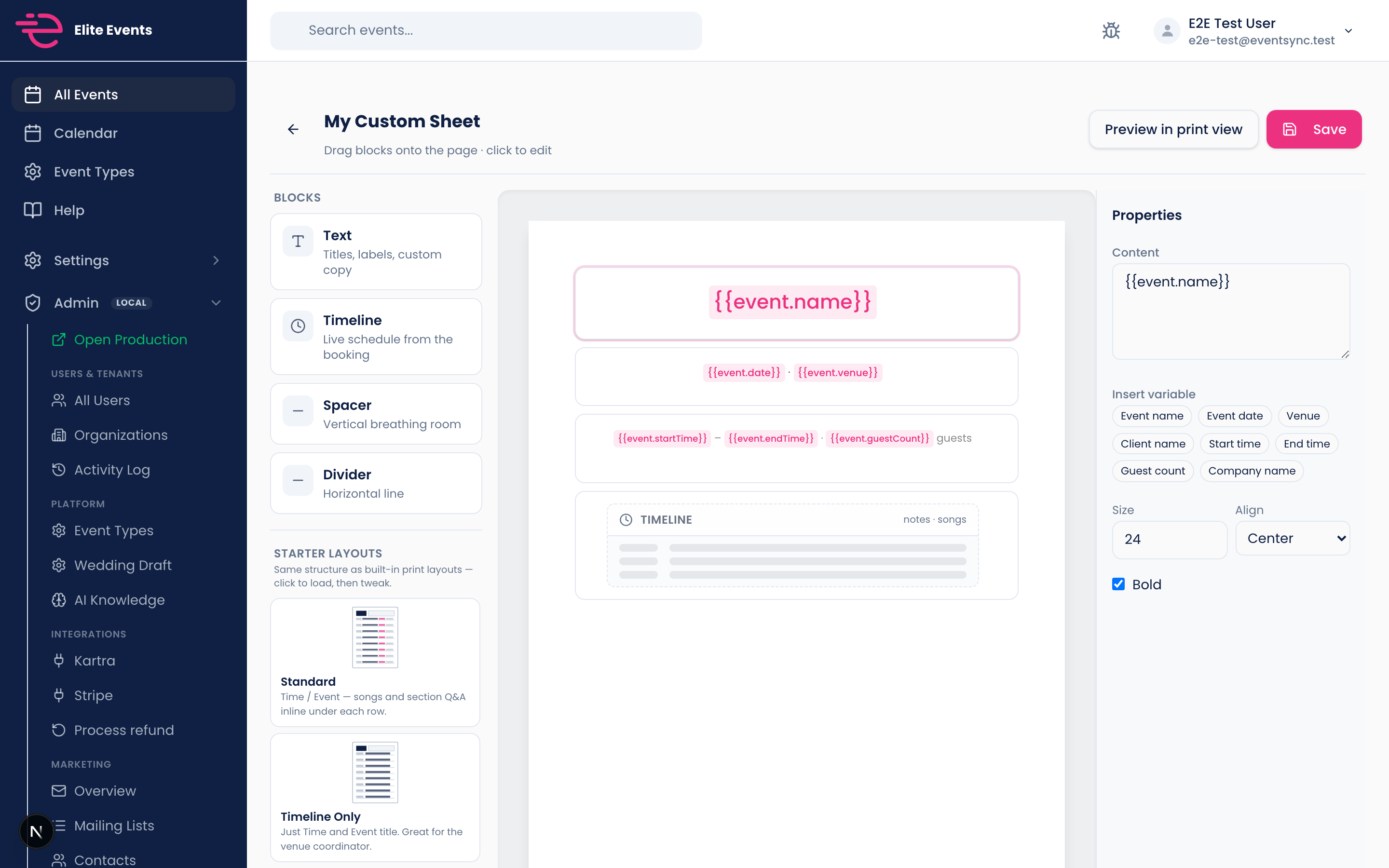
Click Create custom and open the drag-and-drop print builder. Add text, timelines, spacers, and dividers. Insert live variables like event name, venue, and guest count. Start from a built-in layout and tweak it until it matches how your company runs weddings.

EventSync custom print template builder with blocks, canvas, and variable inspector
Drag blocks, insert variables, preview in print view, save for every future event.

Ready to run your next wedding this way?

Founders pricing, unlimited events, 14-day money-back guarantee. Upload your first PDF and see the timeline build itself.